Play Guitar Online Free: Strum Real Chords in Your Browser
July 21, 2026 · 6 min read · by the ClipCraft team
Here's a guitar you can play online, in this page, free. It's the real Guitar instrument from SoundCraft, our free browser DAW, playing the same recorded strings the editor streams. Tap one of the chord buttons (1 through 7, the chords of C major), then drag across the strings. On a phone, swipe. Try the Electric button while you're at it; that one has its own body.
Tap a chord (1–7 in the key of C), then drag across the strings to strum. The full guitar in SoundCraft adds all 12 keys, 7th/sus/power chord types, custom chord slots, a MIDI strum knob and recording.
tonejs-instruments samples · N. Brosowsky · CC-BY 3.0
Three real guitars, not one patch
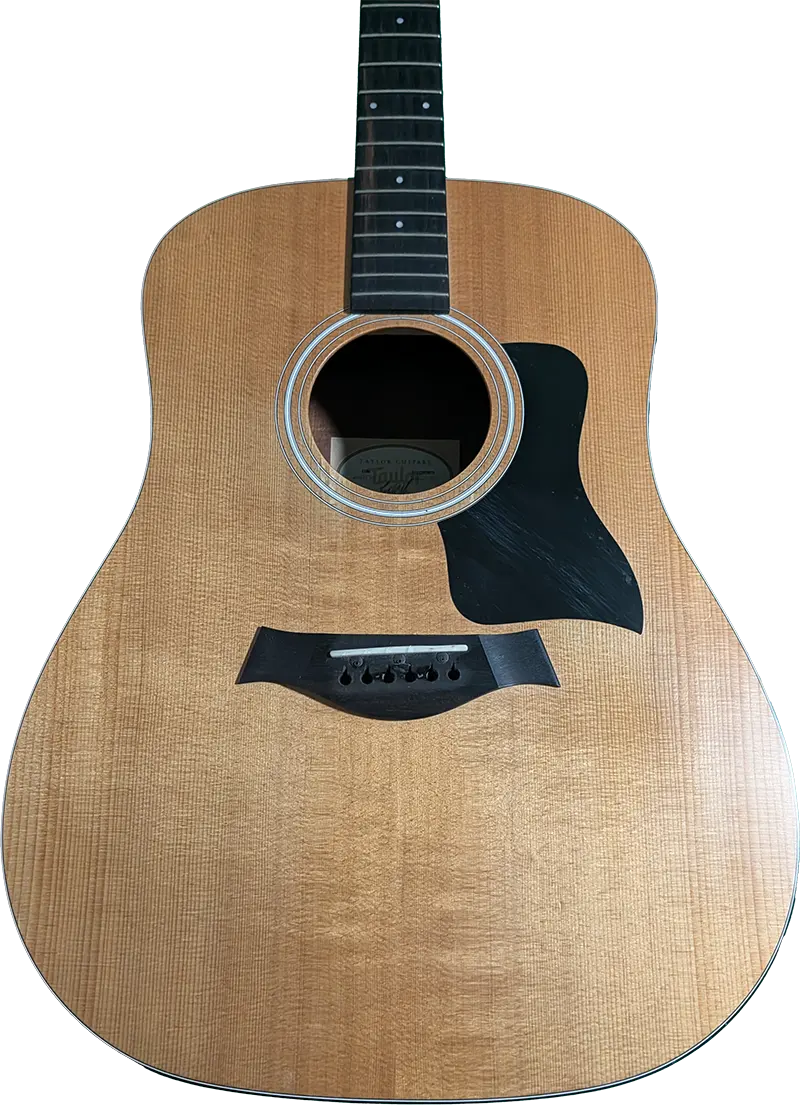
Steel, Nylon and Electric aren't EQ presets. They're three separately recorded instruments from the tonejs-instruments sample library (CC-BY 3.0, the same license family as our grand piano's Salamander samples): a steel-string acoustic, a nylon-string classical, and an electric, thirteen recordings each, about every third semitone from E2 up. When you pluck, the engine takes the nearest recording and repitches it a couple of semitones at most, so the fundamental character stays real. Even the artwork tells the truth: the acoustic tones sit on a dreadnought with bronze and steel string colors, and switching to Electric swaps in a cherry-red solid-body with nickel strings anchored on its tailpiece.

Play guitar online with the Nashville number system
The chord pad is the heart of it. Instead of asking you to know that the fifth chord of E major is B, the pad uses the Nashville number system, the shorthand session players in Nashville have used for sixty years: pick a key, and the numbers 1 through 7 are that key's chords. 1, 4 and 5 are major, 2, 3 and 6 are minor, 7 is diminished. In C that's C, Dm, Em, F, G, Am, B°. Change the key to G and the same numbers become G, Am, Bm, C, D, Em, F♯°. Your song's chord chart never changes, only the key does. Thousands of songs are just 1, 4, 5 and 6m in some order, which is why this pad is such a fast way to sketch one. (Want the theory behind the numbers, taught hands-on? Our free interactive chord course spends a whole lesson on exactly this system.)
The flow we settled on after actually using it: press a number key to select the chord (nothing sounds yet, like fretting a new shape), then strum with the mouse. Drag across the strings and each one you cross plays its note of the current chord; drag speed sets the loudness. Shift plus a number strums instantly from the keyboard, and a "Keys strum" toggle makes plain number presses strum too, if that's more your thing. A chord-type menu switches what the numbers produce: plain triads, power chords, diatonic 7ths, sus2 or sus4. And if you can't name your song's key, the "🎧 Not sure? Auto key" button listens to your project's mix in the background and sets the pad to match, the same detection our Auto Key tool runs.
Details guitar players will notice
A virtual guitar lives or dies on the small stuff, so here's the small stuff. Chords voice like barre shapes: the root's fret on the low E string anchors a five-fret window and every string plays its nearest chord tone inside it, with the bass always taking the root. A strum is six quick plucks, 24 milliseconds apart, low string to high, not six notes fired at once. Power chords only sound on the three bass strings; the treble strings draw dimmed and stay silent, the way your palm would mute them. And there's a strum-direction filter with a Down-only mode, where the return sweep of your mouse is silent, so you can rake down over and over like an actual strumming hand.

The one I'm proudest of is the voice model. On most virtual guitars, chords stack: strum G, strum D, and the G is still ringing underneath, and after four changes you've got mud. This one behaves like a real instrument. Each string keeps exactly one live voice, so re-plucking a string kills its previous ring in about 25 milliseconds, and any chord change damps every ringing string with a quick 90 millisecond fade, like fingers landing on the neck. Switch G to D and the G stops resonating, because on a real guitar it isn't your strings anymore. Even just selecting a new number with the keyboard damps the old chord before you strum the new one.
Strum it from a hardware knob
The Strum knob rakes across the strings as it sweeps, and like most knobs in SoundCraft it's MIDI-mappable. Put the editor in Map mode, wiggle a knob on your controller, and now a physical twist of your hand strums the guitar, which feels ridiculous in the best way. A MIDI keyboard plays single notes through the channel too, and everything you play in the window records into MIDI takes you can edit in the piano roll afterward, same as our harp, the grand piano and every other SoundCraft instrument.
What's missing
- No strum patterns yet. You're the strumming hand, which is half the fun.
- No capo, and no alternate tunings; the strings are standard E A D G B E.
- No palm-mute tone. The damping model mutes ringing strings, but there's no chugging tone layer for the metal players yet.
The guitar is free, like every instrument in the editor. Paid plans are about storage and AI compute, not instruments behind a counter. Make a free account, open SoundCraft, click the Guitar card in the rack, and the full window is one gold button away: all 12 keys, the chord types, the custom slots, and a record button under it all.
Strum the full guitar in SoundCraft free
Sign up free and get all three guitar tones in a real browser DAW: Nashville chords in any key, power chords and 7ths, a MIDI strum knob, and recording into your song.
Open SoundCraft free